So I decided to start experimenting with textures, here is my first attempt unfinished as I still have to the roof to do but also some of the uv's need adjusting. For a first attempt I think that it turned out okay and it is kind of starting to look like my concepts. So more experimenting is needed......
Wednesday, 21 March 2012
Sunday, 18 March 2012
Transcription: More Model Development
So the model is slowly getting there, I added colour to help me understand the model a bit more but also this will help when it comes to adding texture. Just realised looking at these images there are a few changes I have got to make to the model. But then it is on to setting out the UVs and experimenting with patterns/textures.
Thursday, 15 March 2012
Maya Tutorials: Dynamics (Goals, Instances and Sprites)
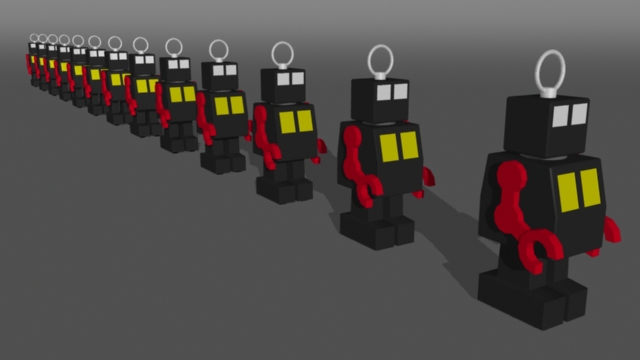
Instancing Part 6: Aim Direction (Arrows)
Instancing Part 7: Aim Direction (Rockets)
Instancing Part 8: Rotation Types (Pointers)
Instancing Part 9: Instances & Paint Effects (Trees)
Wednesday, 14 March 2012
Transcription: Modelling Started on First Building
I deiced that I would choose the most resolved of my design and start modelling and then start experiment with texturing, to find the best method to create my designs. So I decided to start modelling the Bookshop design.
Here is how far I have got with modelling, still got to finish off modelling the windows and chimneys, then go back and clean up the model. I didn't realise how hard it would be to model this design because when design the building I didn't really think about what this design would look in 3D (meaning what it would look from the back and sides). So I am glad that I deiced to actually sit down and think and draw this out before going in to Maya, this help alot with modelling.
Still a long way to go but starting to feel much happier now that I can see what my design are going to look like :)
Tuesday, 13 March 2012
Maya Tutorials: Mental Ray (Depth of Field Methods - Part 1)
Maya Software: Camera Depth of Field
No Depth of Field
With Depth of Field
Measured Focus Distance
Focus Region Adjustment
Mental Ray: Camera Depth of Field
Standard Depth of Field
Anti-Aliasing Contrast Adjustment
Lens Bokeh
Defult
Plane 4.000
Radius 0.300
Samples 12
Bias 0.800
Anti-aliasing Contrast
Maya Tutorials: Mental Ray (Motion Blur Methods)
Maya Software Rendering 2D Motion Blur
Maya Software Rendering 3D Motion Blur
3D Motion Blur: Mental Ray No Deformation
Mental Ray Rendering Rasterizer (Rapid Motion)
Subscribe to:
Posts (Atom)